Scout Documentation
If the installation does not have Internet access, or your IT policies do not allow the devices to connect through the public Internet, you can use a VPN SIM connection.
The VPN SIM provides a private network connection between the device and Scout. Depending on the device, the SIM can be inserted directly into the device or used with an external modem or router.
These devices can also communicate with Scout using a VPN SIM card, which provides greater security by sending data over a private network.
1 Common VPN SIM configuration parameters
The following values must be configured on any device or modem that uses the VPN SIM card:
| Parameter | Value |
|---|---|
| Primary DNS | 10.218.26.81 |
| Secondary DNS | 10.218.5.190 |
| Username | MOVISTAR |
| Password | MOVISTAR |
| APN | circutor.movistar.es |
2 Configuration steps by device type
2.1 Devices with internal modem
- Insert the SIM card into the device.
- Access the device's web server.
- Configure the VPN SIM parameters in the following sections:
- Communication → DNS → Primary and secondary DNS
- Communication → Modem → APN, username, password
2.2 Line EDS cloud
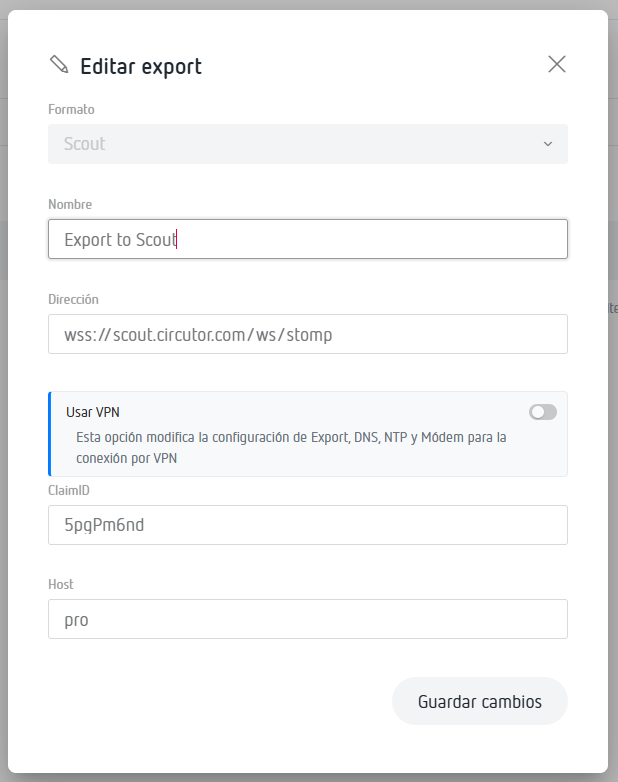
Enable the SIM VPN option in the Line EDS Cloud export.
2.3 Devices with external modem
- Insert the SIM card into the modem/router.
- Access the modem's web interface.
- Configure the VPN SIM parameters according to the common values.
- Save the changes and connect the device to this modem/router.